

Best value

Complete Guitar Toolkit
All eight interactive tools in a single file — in three looks you pick yourself.
8 toolsone file3 looks
Details
Interactive guitar tools
Tools for guitarists who want to understand the neck instead of memorising it. Each one is a single file that opens by double-click — offline, on your own device, for as long as you own it.
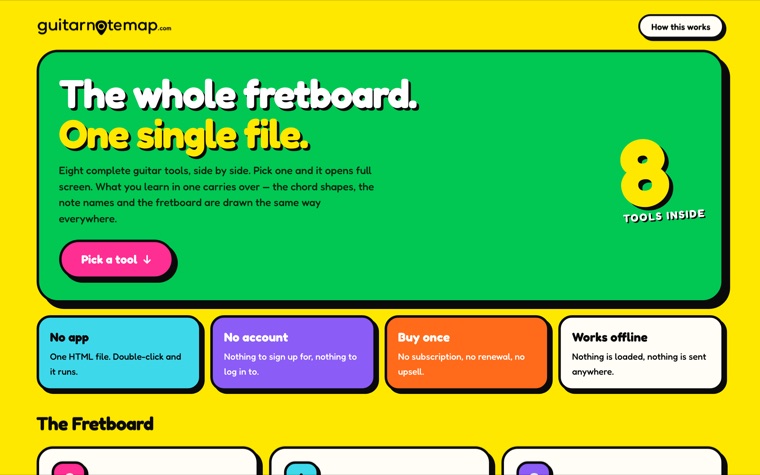
One HTML file. Double-click, done.
Nothing to sign up for, nothing to log into.
Bought once, yours to keep.
After the download, the internet can go away.
The tools
That is on purpose: each one answers a single question well. They are still cut from the same cloth — same fretboard, same chord shapes — so what you learn in one carries into the next. Buy them one at a time, or all eight together in the bundle.
All eight interactive tools in a single file — in three looks you pick yourself.

Five shapes, one fretboard — learned in five stages.

Pick a key and a mode, and see the notes across the neck.

Seven patterns, eighteen notes in a row, picking marked.

Look up any chord — or tap in a grip and get its name.

Three notes on three strings, every inversion up the neck.

Turn the wheel to a key and hear the chords that belong to it.

Say how long you have — get a plan, a timer and exercises.

A reference tone for every string, and a metronome beside it.

Your dog or cat on stage — pick the instrument and the style.
Bundle
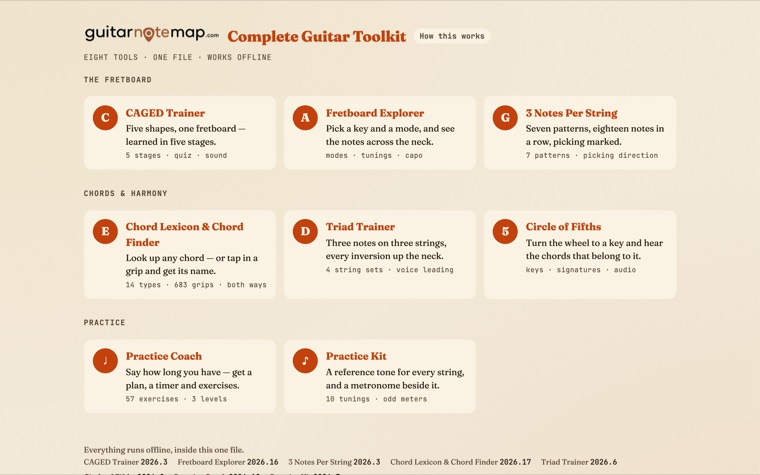
Open one file. Everything is there.


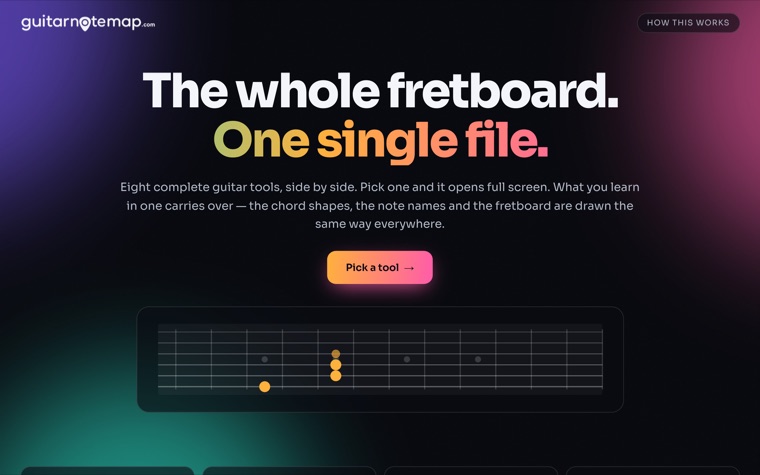
A front page that holds all eight interactive tools. Click one and it opens full screen; one click brings you back. Each is the same tool sold on its own, at the version listed in the footer.
Same eight tools, same notes, same diagrams. Only the look changes, and "Change look" sits in the footer if you want a different one later.
Good to know The two printable poster sets are not part of the bundle — they are PDFs and stay separate items.
The fretboard
Unlock the entire neck of your guitar.


Five movable chord shapes — built from the open C, A, G, E and D chords — let you play any major or minor chord anywhere on the neck. The trainer walks you through them in five stages and checks what you have understood.
Same tool, same notes, same diagrams. Only the look changes, and you can switch anytime from the header.
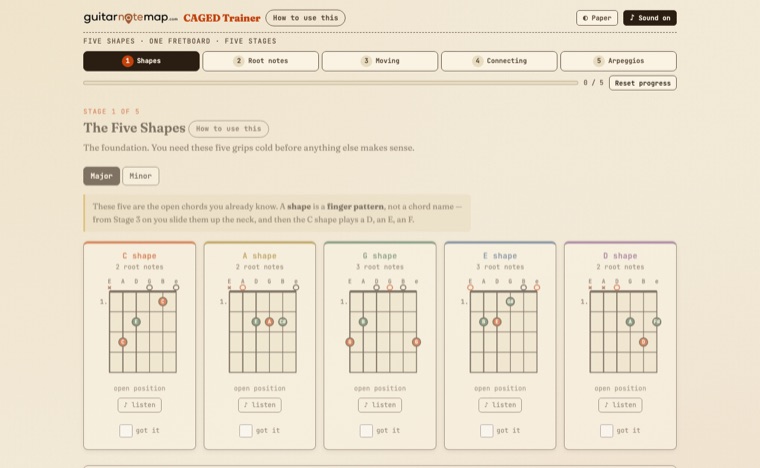
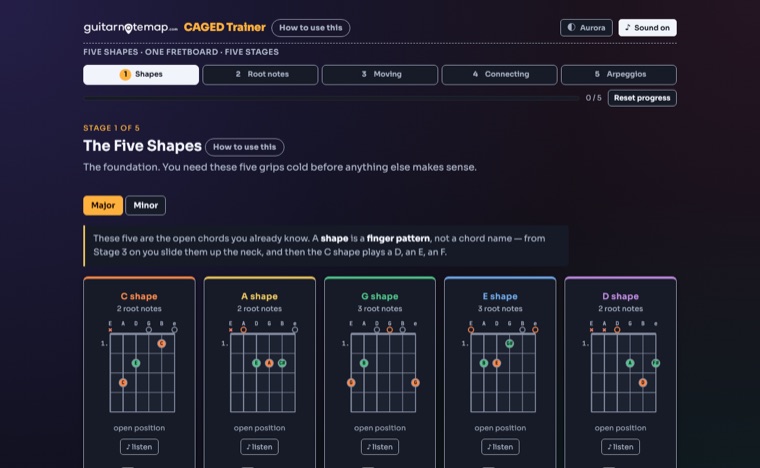
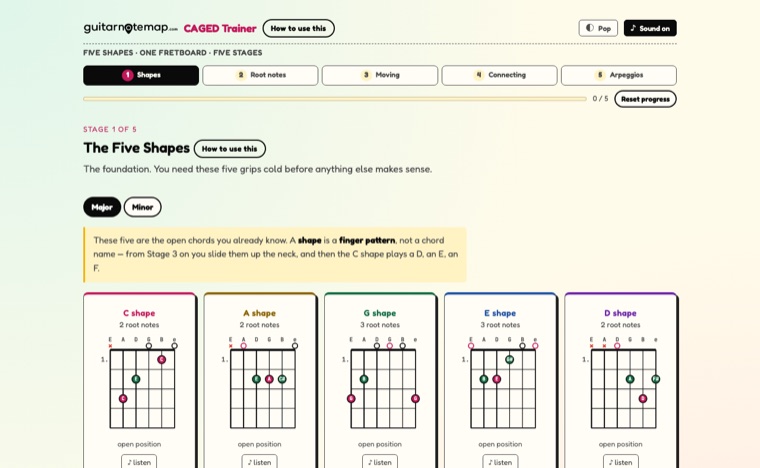
Good to know Progress is saved in your own browser and can be reset at any time.
The fretboard
Stop guessing what is under your fingers.


Pick a key, a scale and a position — the fretboard shows every note that fits, plays it out loud, and lists every chord of the key you can actually grab right there.
Same tool, same notes, same diagrams. Only the look changes, and you can switch anytime from the header.
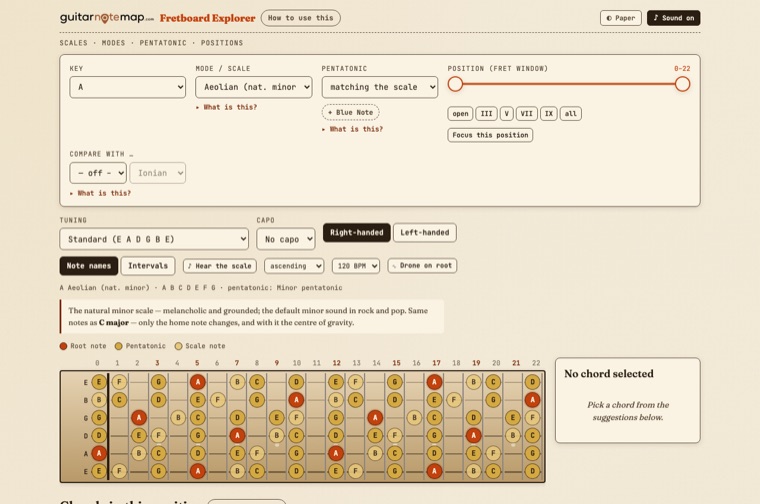
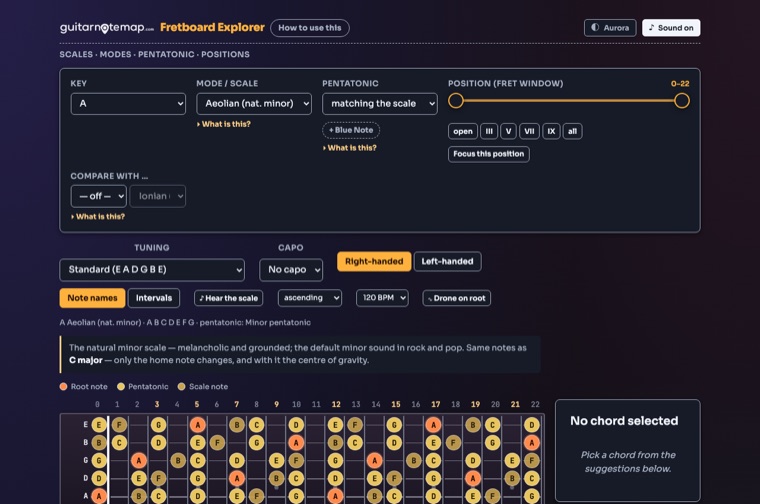
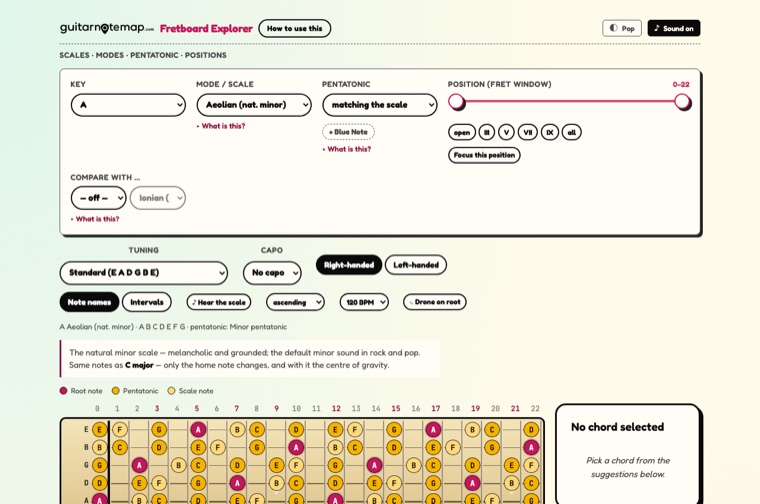
Good to know Chord suggestions are re-checked against the tuning: a shape that would ring wrong notes is hidden, and the tool says how many and why.
The fretboard
Three notes on every string, all the way up.


Three notes on each of the six strings make eighteen scale notes in one unbroken run. Seven patterns cover the whole neck — this tool shows which one lies where, and how to pick it.
Same tool, same notes, same diagrams. Only the look changes, and you can switch anytime from the header.
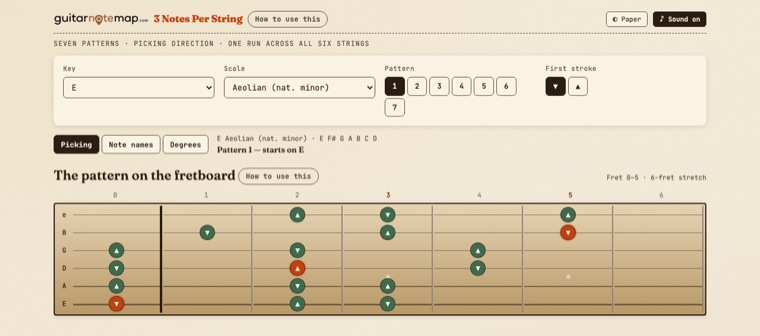
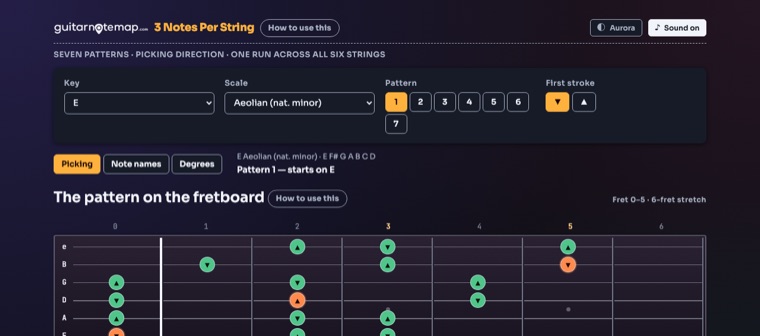
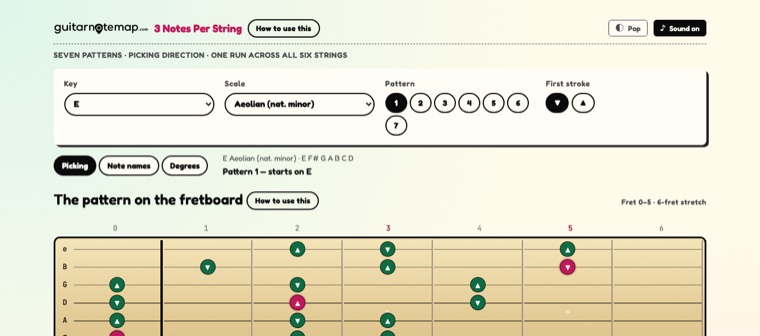
Good to know No fingerings are prescribed: picking direction is arithmetic, fingering is a matter of teaching opinion — and the tool says so rather than inventing one.
Chords & harmony
Know the name? See the grips. Know the grip? Get the name.


A reference that works in both directions. Look a chord up by name and get every documented grip on the neck — or tap what your hand is doing onto a blank fretboard and have it named.
Same tool, same notes, same diagrams. Only the look changes, and you can switch anytime from the header.
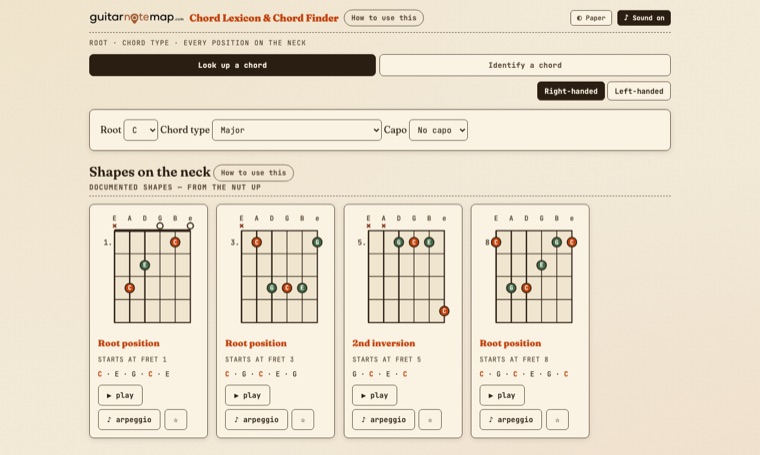
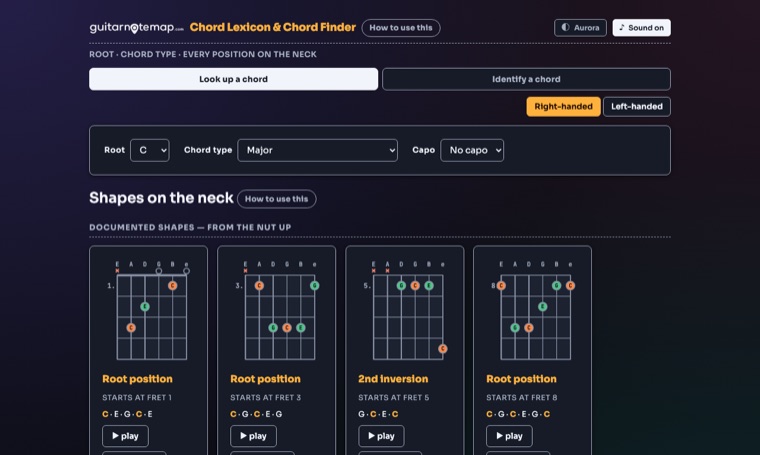
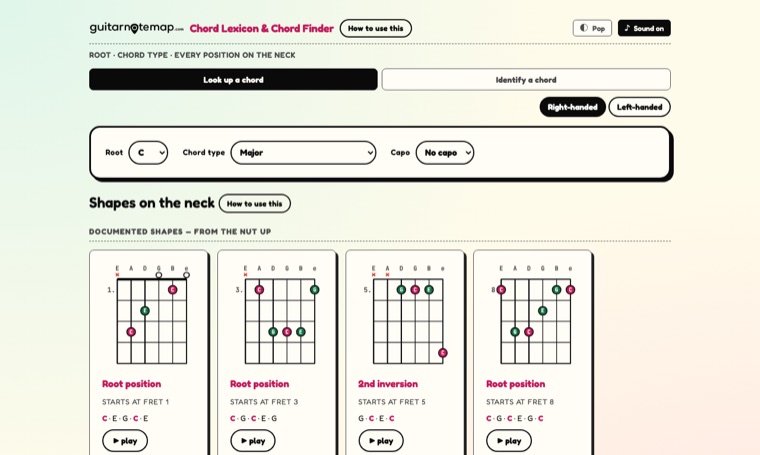
Good to know Both directions read from the same chord table — a tool that contradicts itself would be untrustworthy in both.
Chords & harmony
Three notes are often better than six.


A triad on three strings cuts through a band mix where a full barre chord turns to mud. This trainer shows every inversion of every triad on every string set, and which note moves least when you go to the next one.
Same tool, same notes, same diagrams. Only the look changes, and you can switch anytime from the header.
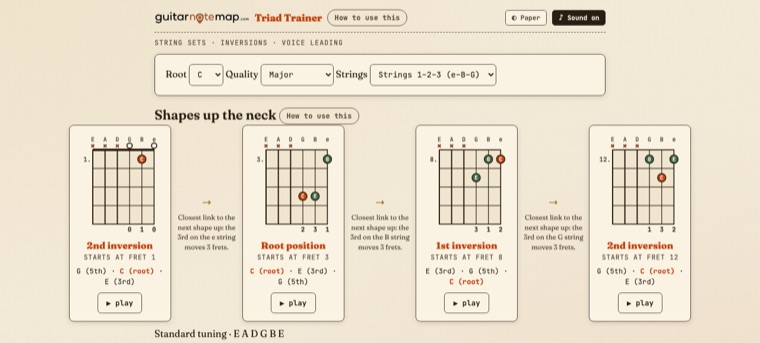
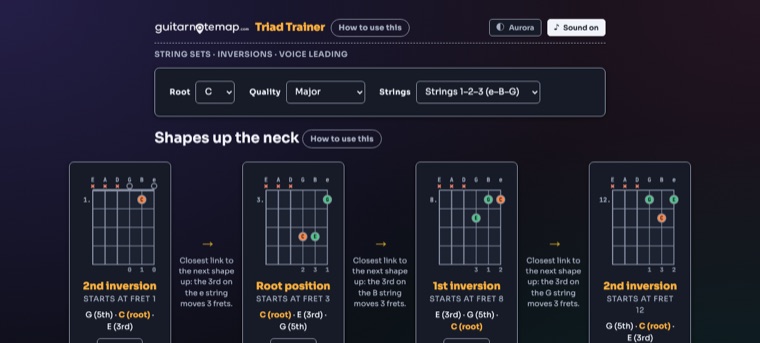
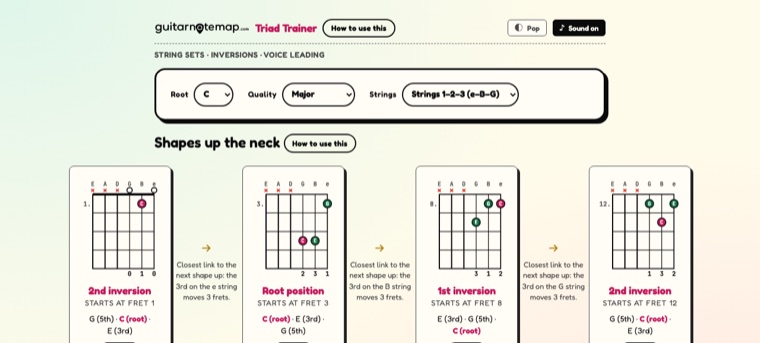
Good to know Grips that stretch further than four frets are filtered out — no diagram shows something nobody would actually grab.
Chords & harmony
Stop guessing which chords fit.


Built like the printed wheels: the disc turns, the window stays put. Land on a key and the three columns under the window are the chords that belong together.
Same tool, same notes, same diagrams. Only the look changes, and you can switch anytime from the header.
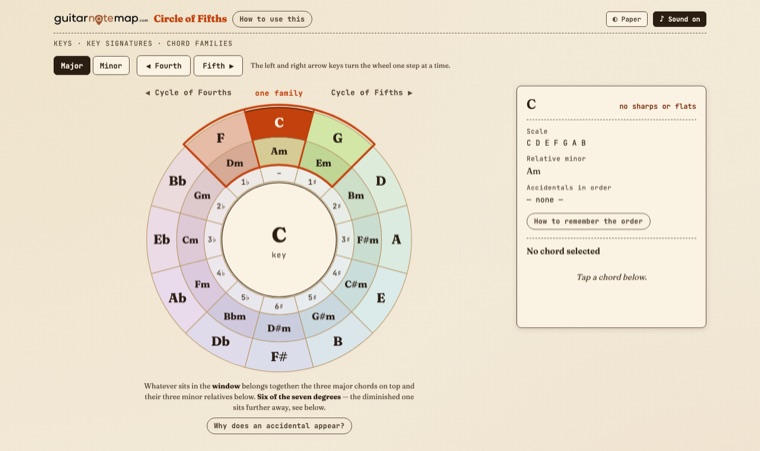
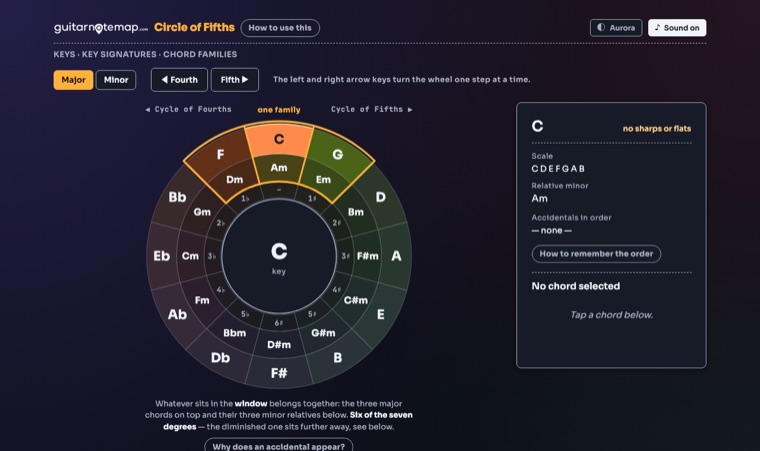
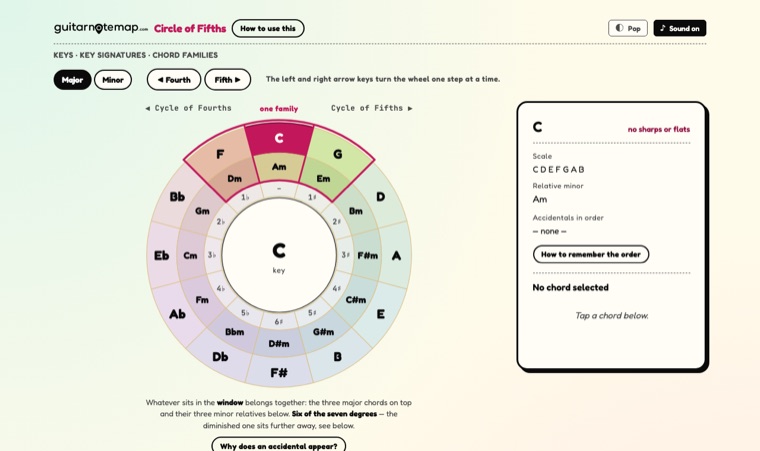
Good to know No notation: the audience here reads chord diagrams, so the key signature is spelled out (F♯ C♯ G♯ …) instead of drawn on a stave.
Practice
Stop wondering what to practise.


Type in the minutes you actually have. Pick the areas you want to work on. You get a session with a running order, a countdown per block and a named exercise in front of you — not a blank timer.
Same tool, same notes, same diagrams. Only the look changes, and you can switch anytime from the header.
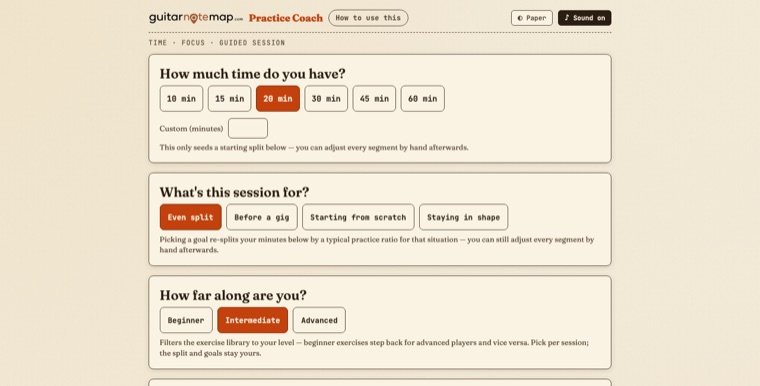
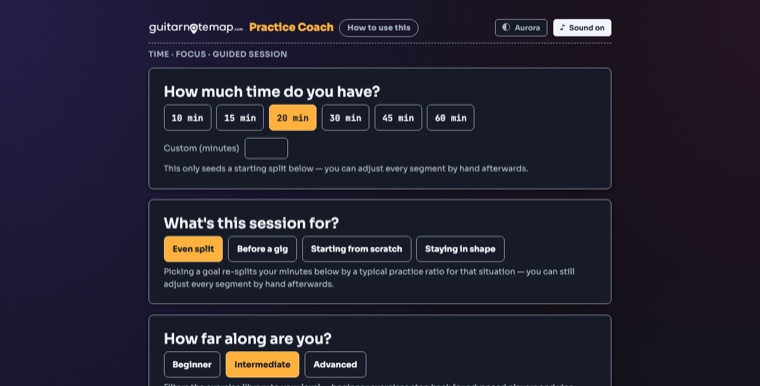
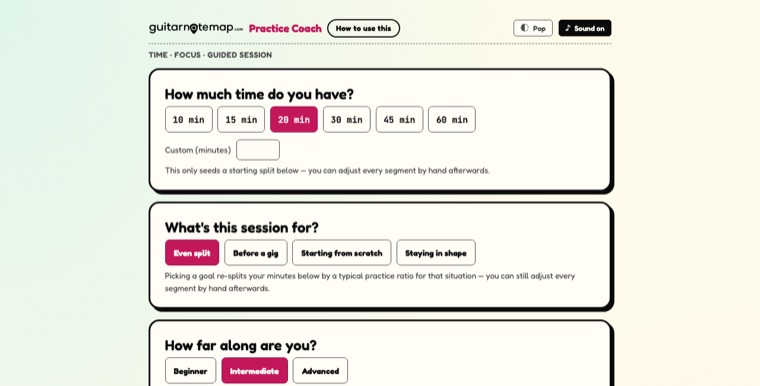
Good to know A session out of the time you have today — no streaks, no history, no account. The tool gives the structure; the material can be your own songs.
Practice
Two tools, no apps, no permissions.


A tuner that works by ear against a clean reference tone, and a metronome that handles the meters a guitarist actually runs into — in one file that asks for nothing.
Same tool, same notes, same diagrams. Only the look changes, and you can switch anytime from the header.
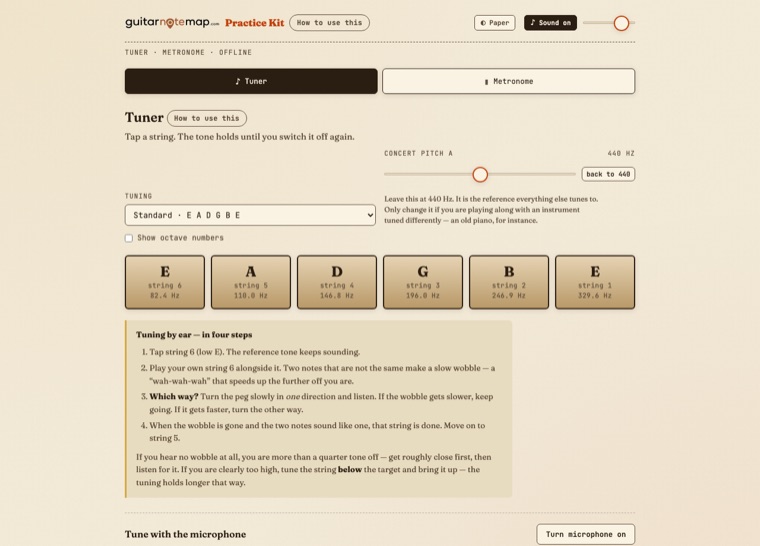
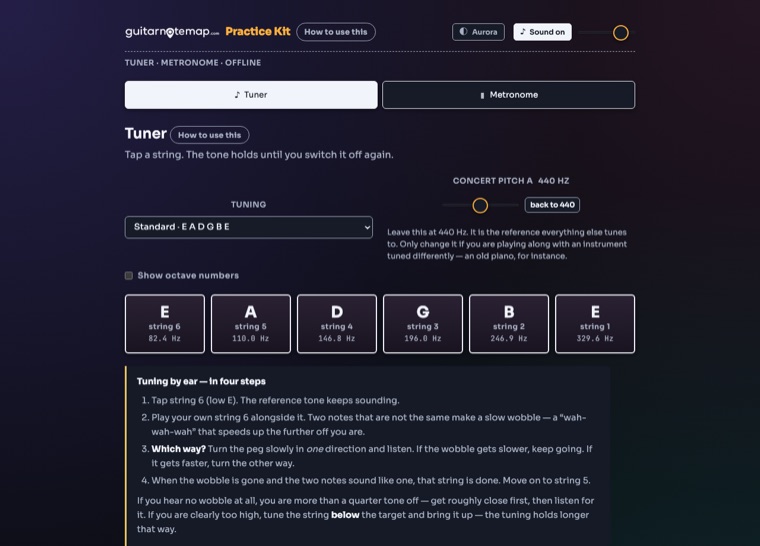
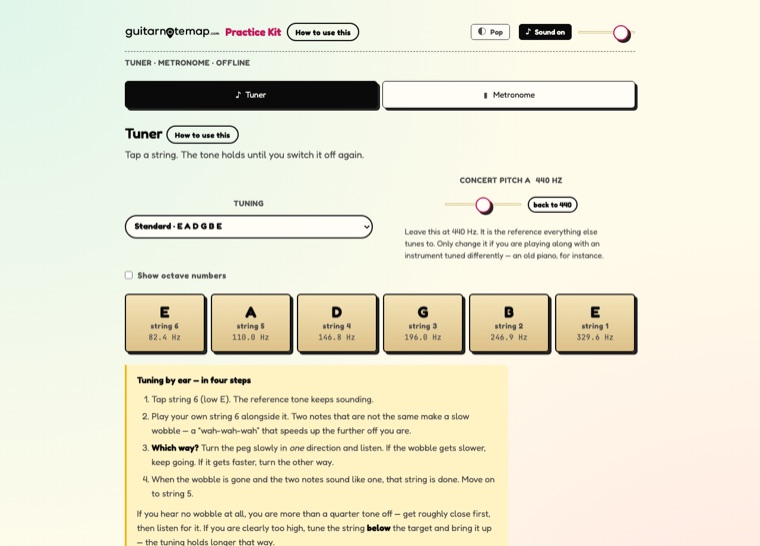
Good to know The microphone is deliberately not the core: browsers handle it unreliably from a local file, and a tuner that only sometimes works is worse than none.
Just for fun
Your pet, reimagined as a rock star.


Upload one photo of your dog or cat, pick an instrument and an art style, and get a portrait of them mid-song under the stage lights. This one teaches nothing — it is the present at the end of the shelf.
Good to know The photo goes in during checkout on Etsy; afterwards you only confirm the order on our page. Each portrait is generated individually from that photo with an AI image model, guided by prompts written for this exact look. Your photo is used only to make your artwork — never reused, resold or shared. Nothing is mailed; this is a digital download.
The one that is not a tool
Everything else on this page is about understanding the fretboard. This one teaches nothing at all. Upload a photo of your dog or cat, pick an instrument and an art style, and get them back mid-song under the stage lights.
Pick the instrument and the art style, add a name if you want one, and upload your pet’s photo — all of it right there at checkout.
You get a download with your claim link straight away. Open it, enter the order number, confirm — nothing to upload a second time.
Usually in under a minute: your style plus the two bonus ones, as high-resolution files to download and keep.
Every portrait is generated individually from the photo you send, using an AI image model guided by prompts written for this exact look. Your photo is used only to make your artwork — never reused, resold or shared.
How it works
The shop handles the payment and the download. You get a link right after checkout.
One self-contained HTML file. Download it on a computer or a mobile browser — not in the Etsy app, which cannot save digital files.
It opens in the browser you already have. From then on, no internet, no account and no updates are required.
Works on Windows, Mac, Linux, tablets and phones. Tested in Chrome, Firefox and Edge.
About
GuitarNoteMap is a one-person workshop. Behind it is Lars, who kept running into the same thing while learning guitar: the theory is everywhere, but almost nothing shows it on the instrument in a way you can poke at.
So these tools were built the way a good reference book is built, not the way an app is built. Each answers one question and stops there. Nothing asks for an account. Nothing phones home. Nothing expires. You download a file and it is yours — the same way a poster on your wall is yours.
Everything you see is checked against the instrument rather than assumed. Chord shapes come from documented sources, not from a formula that happens to compile.
These tools were designed by me and built with AI assistance for the code. The digital structure, the setup and the interactive design are mine. For the teaching content I rely on established, long-proven guitar learning methods; the original inventors of these time-honoured concepts are unknown to me, and I have adapted and structured that knowledge into these tools. Product photography and listing graphics are real screenshots of the actual tools, placed into AI-assisted scene design.
Questions
One self-contained HTML file per tool. Nothing to install, no fonts to add, no account to make — you download it and it opens in the browser you already have.
No. After the download, everything runs on your own device. There is no login, no subscription and nothing that stops working if a server goes away.
Yes. The fretboard is drawn horizontally on a desktop and vertically on a phone. Download the file with a mobile browser rather than inside the Etsy app — the app cannot save digital files.
A six-string guitar in standard tuning, unless a tool says otherwise. The Fretboard Explorer also covers eight alternative tunings, a capo and a left-handed view; the Practice Kit has ten tunings.
For your own teaching, yes — open the file in a lesson as you would open a book. Passing the file on to your students as a copy is not covered; each of them needs their own.
Digital downloads are generally non-returnable once downloaded. If something is genuinely wrong with a file, write to us and it gets fixed.
Every file carries a version number in its footer. Corrections to something that was wrong are free — write to us with your order number.
The shop lives on Etsy, which handles payment, invoicing and delivery. This site is the place to look before you go there.
Every tool is a one-time purchase and works offline forever. The bundle holds all eight interactive tools in a single file.